
Search result
Remote lock function
When the function is enabled, you can not perform operations with the remote control unit.
By default, this function is disabled.
Disabling the remote sensor function
Unplug the power cord from the power outlet.
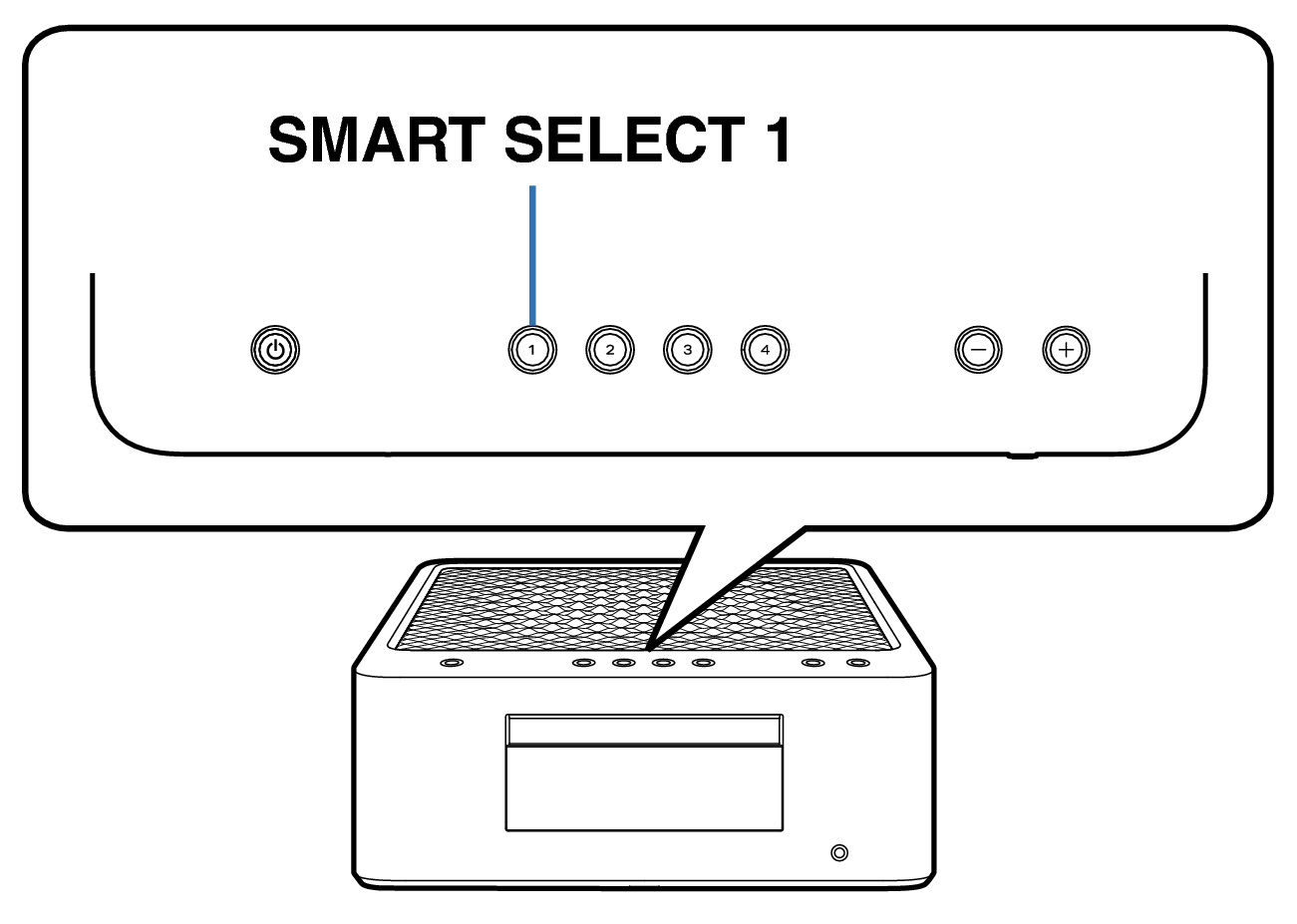
Plug in the power cord while holding down SMART SELECT 1.
When “Panel/Remote Lock” menu appears on the display, release the button.
Use Cursor Up/Down buttons to select “Remote Lock”, then press ENTER.
Use Cursor Up/Down buttons to select “On”, then press ENTER.
Use Cursor Up/Down buttons to select “Exit”, then press ENTER.
The infrared light receiving function is disabled.
Enabling the remote sensor function
Unplug the power cord from the power outlet.
Plug in the power cord while holding down SMART SELECT 1.
When “Panel/Remote Lock” menu appears on the display, release the button.
Use Cursor Up/Down buttons to select “Remote Lock”, then press ENTER.
Use Cursor Up/Down buttons to select “Off”, then press ENTER.
Use Cursor Up/Down buttons to select “Exit”, then press ENTER.
The infrared light receiving function is enabled.