
Search result
Front/Top panel lock function
To prevent accidental operation of this unit, you can disable operation of the buttons on the front/top panel.
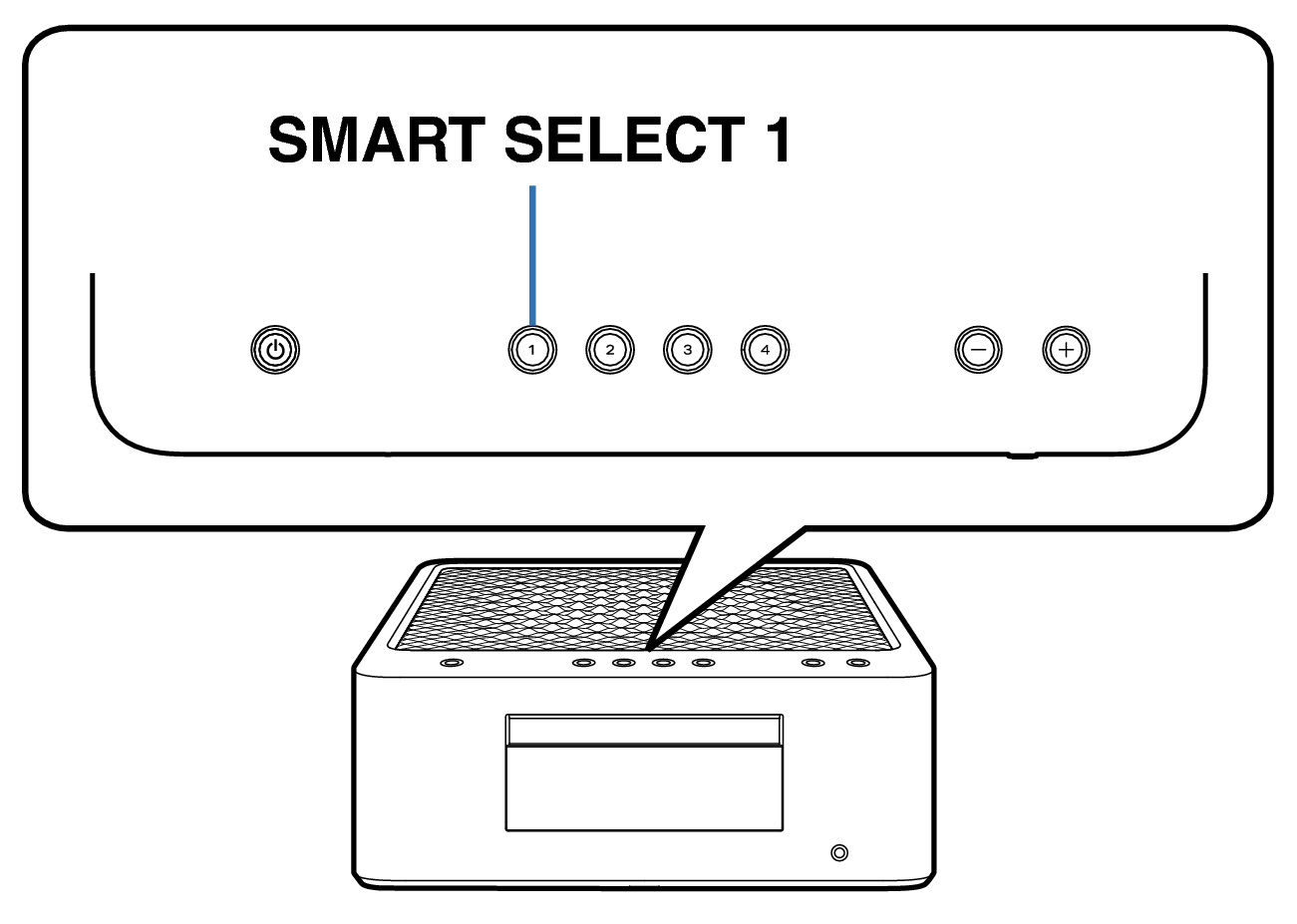
Disabling all key button operations
Unplug the power cord from the power outlet.
Plug in the power cord while holding down SMART SELECT 1.
When “Panel/Remote Lock” menu appears on the display, release the button.
Use Cursor Up/Down buttons to select “Panel Lock”, then press ENTER.
Use Cursor Up/Down buttons to select “Panel/Volume”, then press ENTER.
Use Cursor Up/Down buttons to select “Exit”, then press ENTER.
All button operations except  are disabled.
Disabling all button operations except VOLUME 

Unplug the power cord from the power outlet.
Plug in the power cord while holding down SMART SELECT 1.
When “Panel/Remote Lock” menu appears on the display, release the button.
Use Cursor Up/Down buttons to select “Panel Lock”, then press ENTER.
Use Cursor Up/Down buttons to select “Panel”, then press ENTER.
Use Cursor Up/Down buttons to select “Exit”, then press ENTER.
All button operations except and VOLUME are disabled.
Canceling the Front/Top panel lock function
Unplug the power cord from the power outlet.
Plug in the power cord while holding down SMART SELECT 1.
When “Panel/Remote Lock” menu appears on the display, release the button.
Use Cursor Up/Down buttons to select “Panel Lock”, then press ENTER.
Use Cursor Up/Down buttons to select “Off”, then press ENTER.
Use Cursor Up/Down buttons to select “Exit”, then press ENTER.
The Front/Top panel lock function is canceled.
Even when the Front/Top panel lock function is set, you can operate the unit using the remote control unit.