
Search result
Tray lock function
To prevent the disc tray from opening, you can disable the disc tray open/close button (  ) operation.
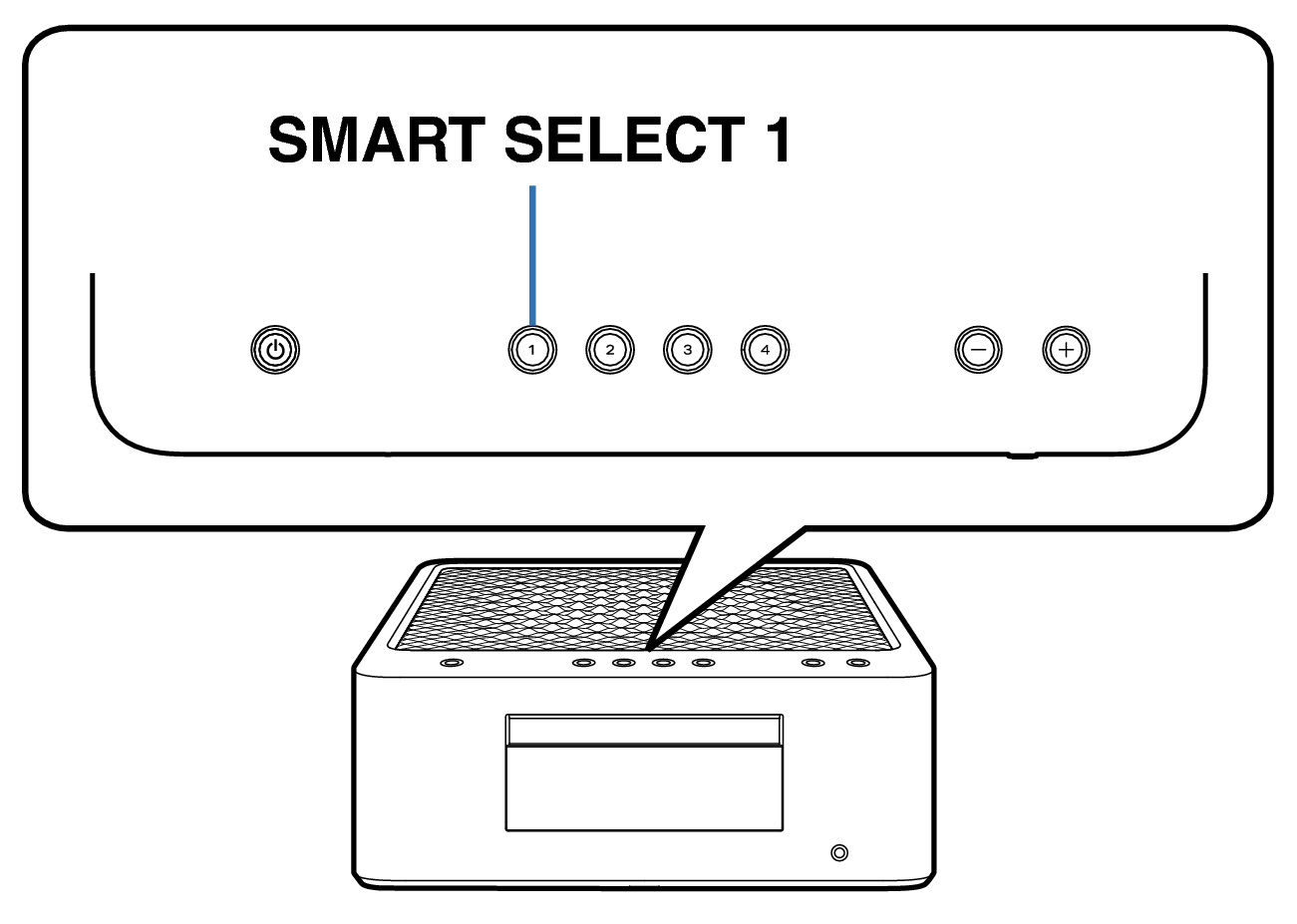
Disabling the disc tray open/close button ( ) operations
Unplug the power cord from the power outlet.
Plug in the power cord while holding down SMART SELECT 1.
When “Panel/Remote Lock” menu appears on the display, release the button.
Use Cursor Up/Down buttons to select “Tray Lock”, then press ENTER.
Use Cursor Up/Down buttons to select “On”, then press ENTER.
Use Cursor Up/Down buttons to select “Exit”, then press ENTER.
The disc tray open/close button ( ) operation is disabled.
Canceling the tray lock function
Unplug the power cord from the power outlet.
Plug in the power cord while holding down SMART SELECT 1.
When “Panel/Remote Lock” menu appears on the display, release the button.
Use Cursor Up/Down buttons to select “Tray Lock”, then press ENTER.
Use Cursor Up/Down buttons to select “Off”, then press ENTER.
Use Cursor Up/Down buttons to select “Exit”, then press ENTER.
The tray lock function is canceled.