
logo
Contents

Overview

Accessories
About the remote control
Main features
Part names and functions

Connections

Connections
Connecting an amplifier
Connecting to a device with digital audio input connectors
Connecting to a device with digital audio output connectors
Connecting a PC or Mac
Connecting an iPod or USB memory device to the USB port
Connecting to a home network (LAN)
Other connections
REMOTE CONTROL jack
Connecting the power cord

Playback

Playback
Basic operation
Listening to Internet Radio
Playing back files stored on a PC and NAS
Listening to Pandora®
Listening to SiriusXM Internet Radio
Spotify Connect function
Favorite function
Playing back an iPod
Playing a USB memory device
AirPlay function
Remote play function
Web control function
Using as a D/A converter (USB-DAC)

Settings

Menu map
Inputting characters
General
Network
Switching the function of the volume buttons on the remote control

Tips

Tips
Troubleshooting
Resetting factory settings

Appendix

Playing back a USB memory devices
D/A converter
Playing back Internet Radio
Playing back files stored on a PC and NAS
Explanation of terms
Trademark information
Specifications
Dimensions / Weight
Index
License
PDF Download

  • Top
  • Playback

Overview

Accessories
About the remote control
Main features
Part names and functions

Connections

Connections
Connecting an amplifier
Connecting to a device with digital audio input connectors
Connecting to a device with digital audio output connectors
Connecting a PC or Mac
Connecting an iPod or USB memory device to the USB port
Connecting to a home network (LAN)
Other connections
REMOTE CONTROL jack
Connecting the power cord

Playback

Playback
Basic operation
Listening to Internet Radio
Playing back files stored on a PC and NAS
Listening to Pandora®
Listening to SiriusXM Internet Radio
Spotify Connect function
Favorite function
Playing back an iPod
Playing a USB memory device
AirPlay function
Remote play function
Web control function
Using as a D/A converter (USB-DAC)

Settings

Menu map
Inputting characters
General
Network
Switching the function of the volume buttons on the remote control

Tips

Tips
Troubleshooting
Resetting factory settings

Appendix

Playing back a USB memory devices
D/A converter
Playing back Internet Radio
Playing back files stored on a PC and NAS
Explanation of terms
Trademark information
Specifications
Dimensions / Weight
Index
License

Playing back an iPod

You can use the USB cable provided with the iPod to connect the iPod with the unit’s USB port and enjoy music stored on the iPod.

For information on the iPod models that can be played back with this unit, see Supported iPod/iPhone modelslink.

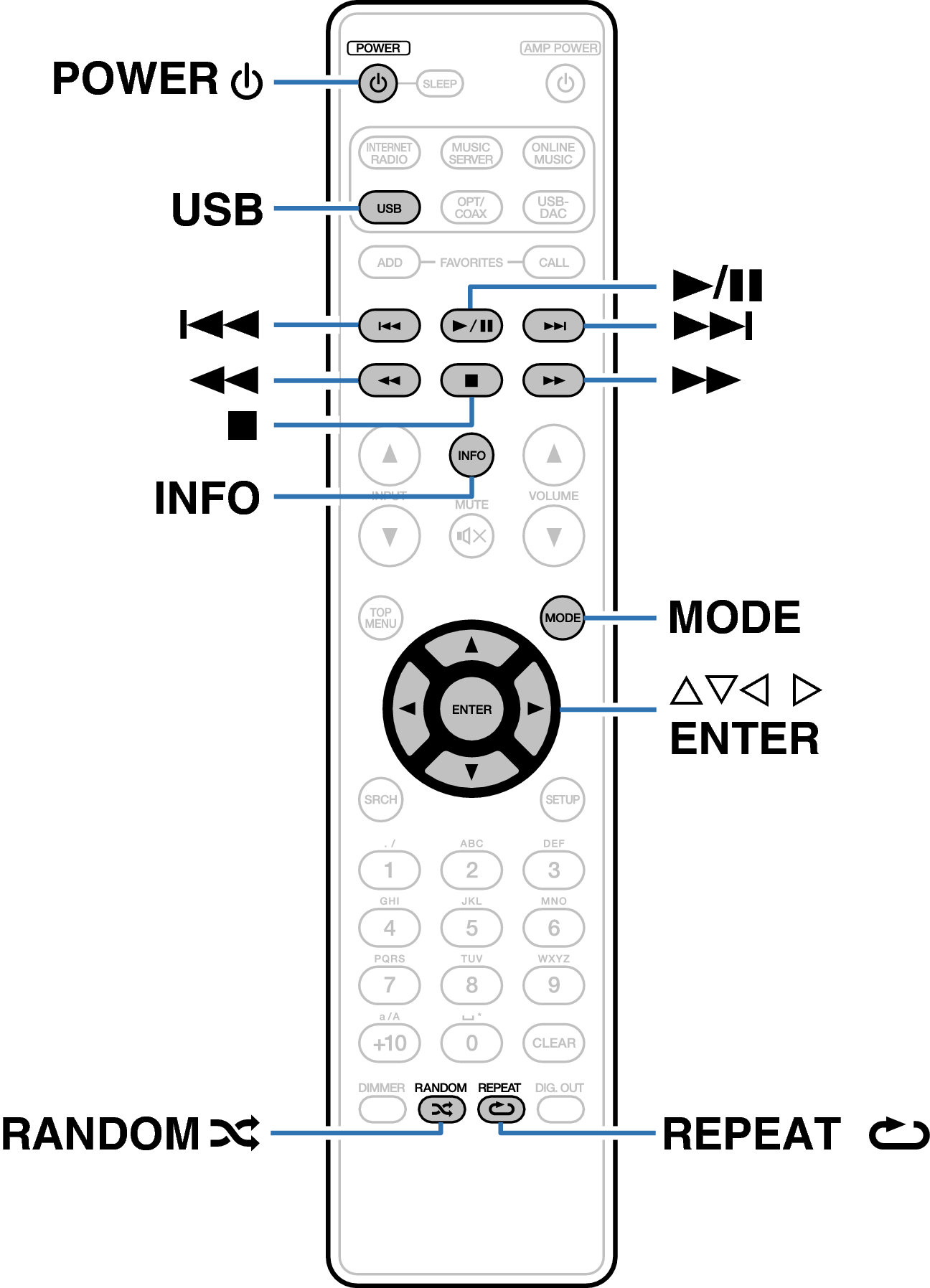
Buttons on the remote control unit used for this operation
Ope_RC_p24_1
Playback
Basic operation
Listening to Internet Radio
Playing back files stored on a PC and NAS
Listening to Pandora®
Listening to SiriusXM Internet Radio
Spotify Connect function
Favorite function
Playing back an iPod
Playing an iPod
Performing repeat playback
Performing random playback
Disconnecting the iPod
Charging the iPod
Playing a USB memory device
AirPlay function
Remote play function
Web control function
Using as a D/A converter (USB-DAC)

back to top

Network Audio Player