
logo
Contents

Overview

Accessories
About the remote control
Main features
Part names and functions

Connections

Connections
Connecting an amplifier
Connecting to a device with digital audio output connectors
Connecting a PC or Mac
Connecting a smartphone or portable player
Connecting an iPod or USB memory device to the USB port
REMOTE CONTROL jack
Connecting the power cord

Playback

Basic operation
Using as a D/A converter
Playing back an iPod
Playing a USB memory device
Playing audio from devices connected to the AUX connector

Settings

Menu map
AMP Gain
Dimmer
iPodMode
AutoStby

Tips

Tips
Troubleshooting

Appendix

Playing back a USB memory devices
D/A converter
Explanation of terms
Trademark information
Specifications
Dimensions / Weight
Index
PDF Download

  • Top
  • Connections

Overview

Accessories
About the remote control
Main features
Part names and functions

Connections

Connections
Connecting an amplifier
Connecting to a device with digital audio output connectors
Connecting a PC or Mac
Connecting a smartphone or portable player
Connecting an iPod or USB memory device to the USB port
REMOTE CONTROL jack
Connecting the power cord

Playback

Basic operation
Using as a D/A converter
Playing back an iPod
Playing a USB memory device
Playing audio from devices connected to the AUX connector

Settings

Menu map
AMP Gain
Dimmer
iPodMode
AutoStby

Tips

Tips
Troubleshooting

Appendix

Playing back a USB memory devices
D/A converter
Explanation of terms
Trademark information
Specifications
Dimensions / Weight
Index

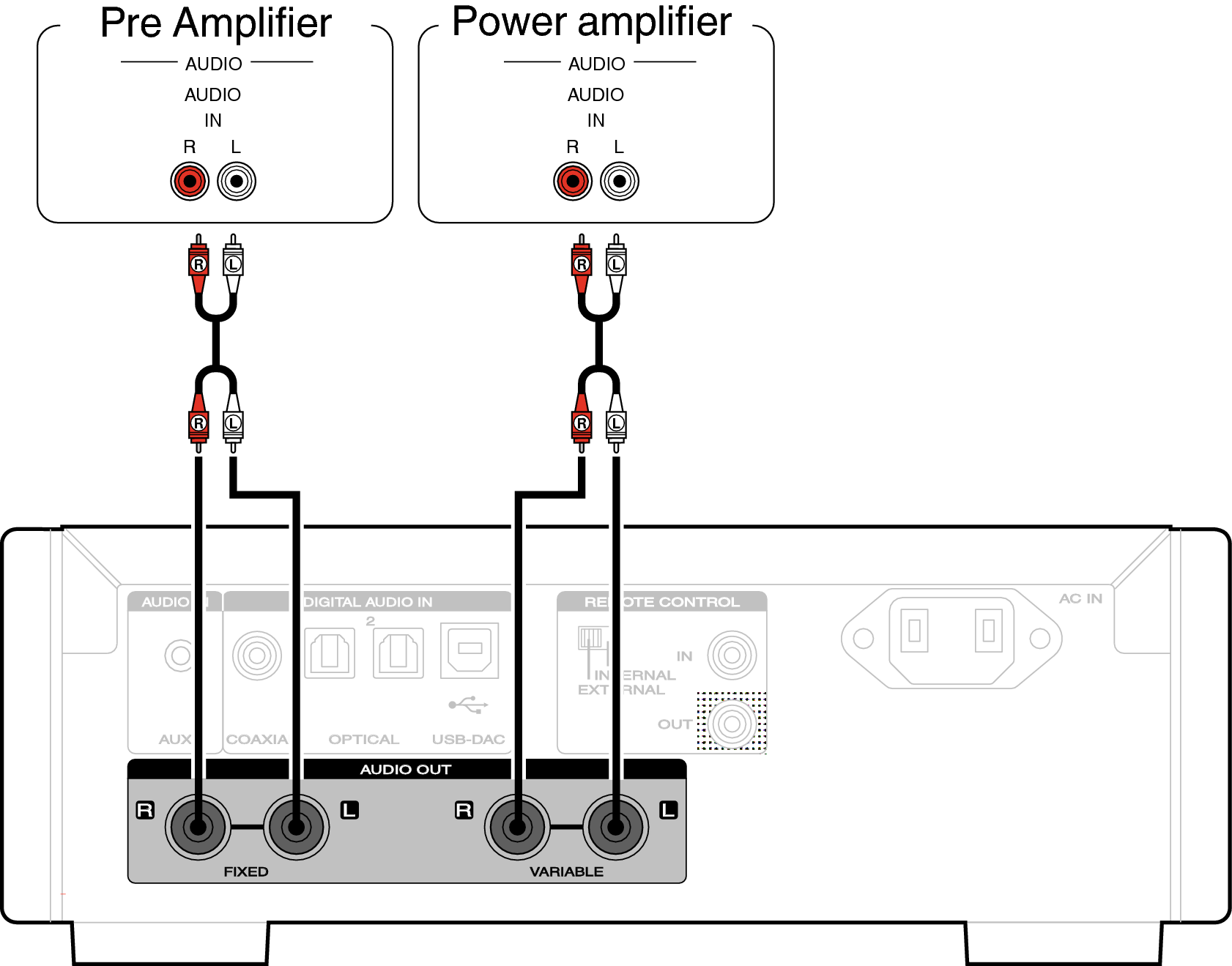
Connecting an amplifier

Conne amp HDDAC1
NOTE

Do not connect a power amplifier to the FIXED connectors. Connecting a power amplifier may cause damage to the speakers.

Connections
Connecting an amplifier
Connecting to a device with digital audio output connectors
Connecting a PC or Mac
Connecting a smartphone or portable player
Connecting an iPod or USB memory device to the USB port
REMOTE CONTROL jack
Connecting the power cord

back to top

D/A convertor