
Search result
Remote control unit
The remote control provided with this unit can control a Marantz amplifier.
Operating this unit
To operate this unit, press REMOTE MODE CD button to switch the remote control operating mode to this unit.
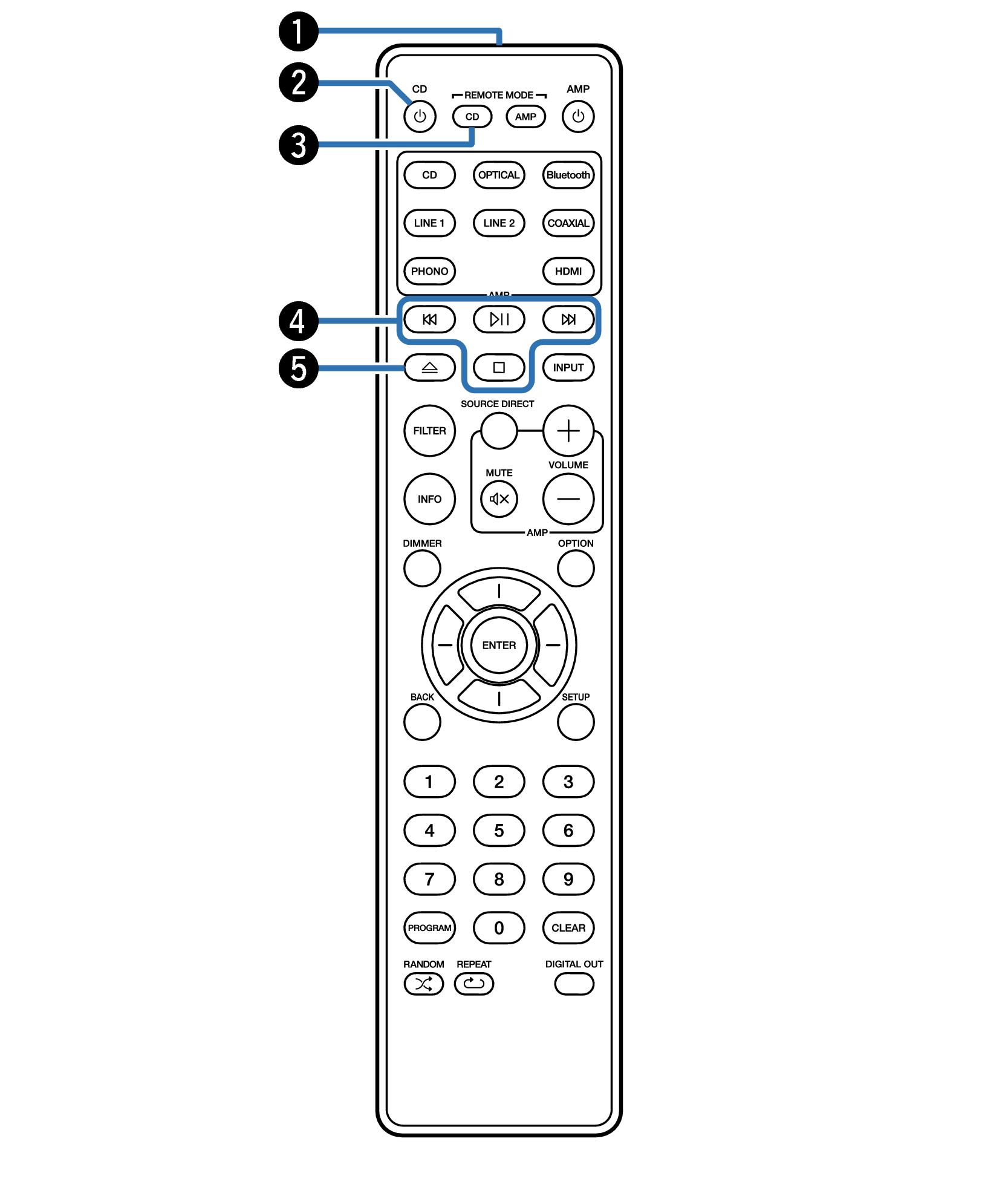
Remote control signal transmitter
This transmits signals from the remote control unit. link
Power (CD  ) button
This turns the power on/off (standby). link
Remote mode select button (REMOTE MODE CD)
Switches the remote control operating mode to this unit.
System buttons
These perform playback related operations.
Disc tray open/close button (  )
)
Opens and closes the disc tray. link
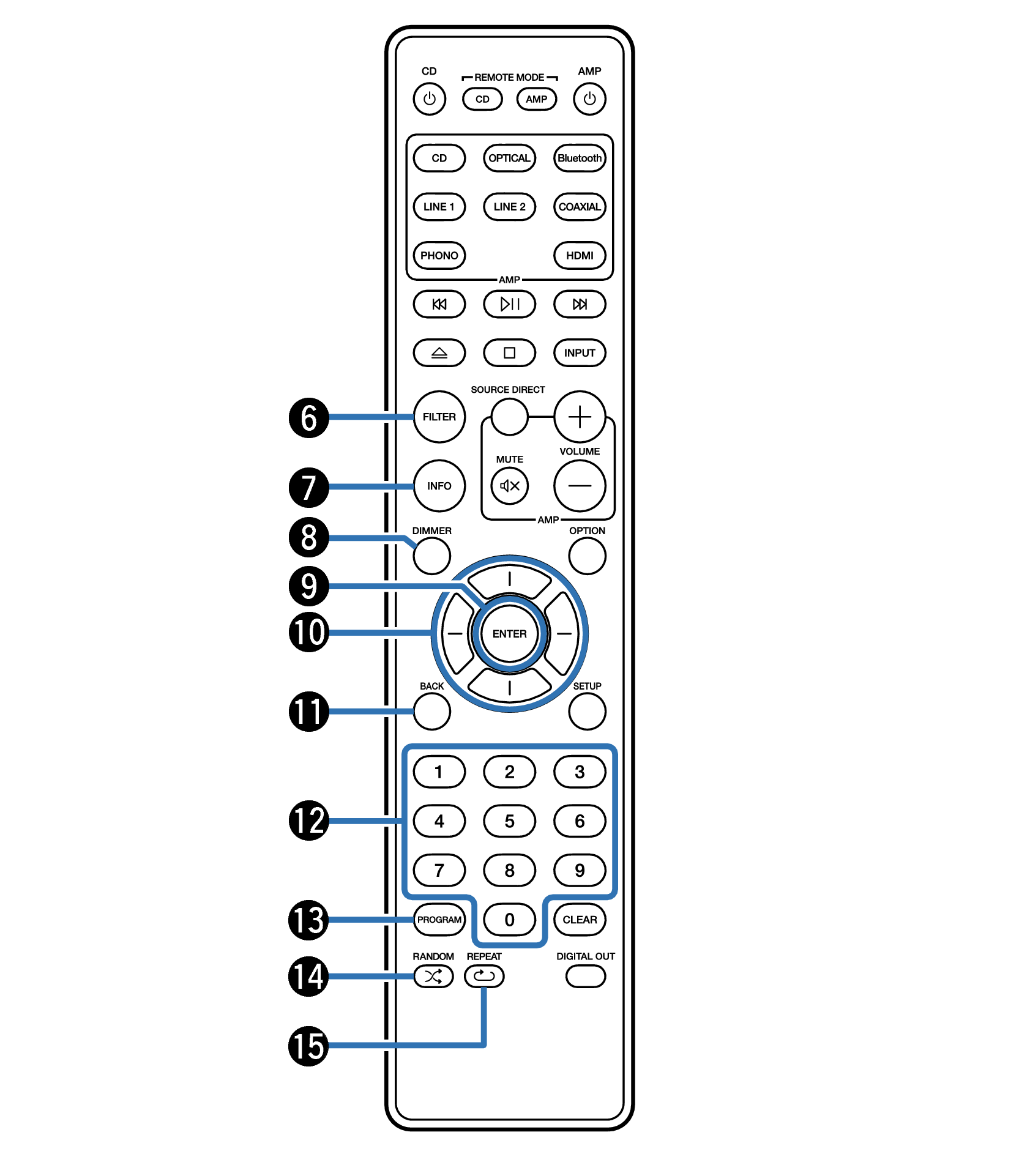
FILTER button
This switches the filter characteristics. link
Information button (INFO)
This switches the track information shown in the display during playback.
DIMMER button
This switches the brightness of the display. link
ENTER button
This determines the selection.
Cursor buttons
These select items.
BACK button
Returns to the previous item.
Number buttons (0 – 9)
These enter numbers into the unit.
PROGRAM button
This sets program playback. link
RANDOM button (  )
)
Switches the random playback.
REPEAT button (  )
)
Switches to the repeat playback.
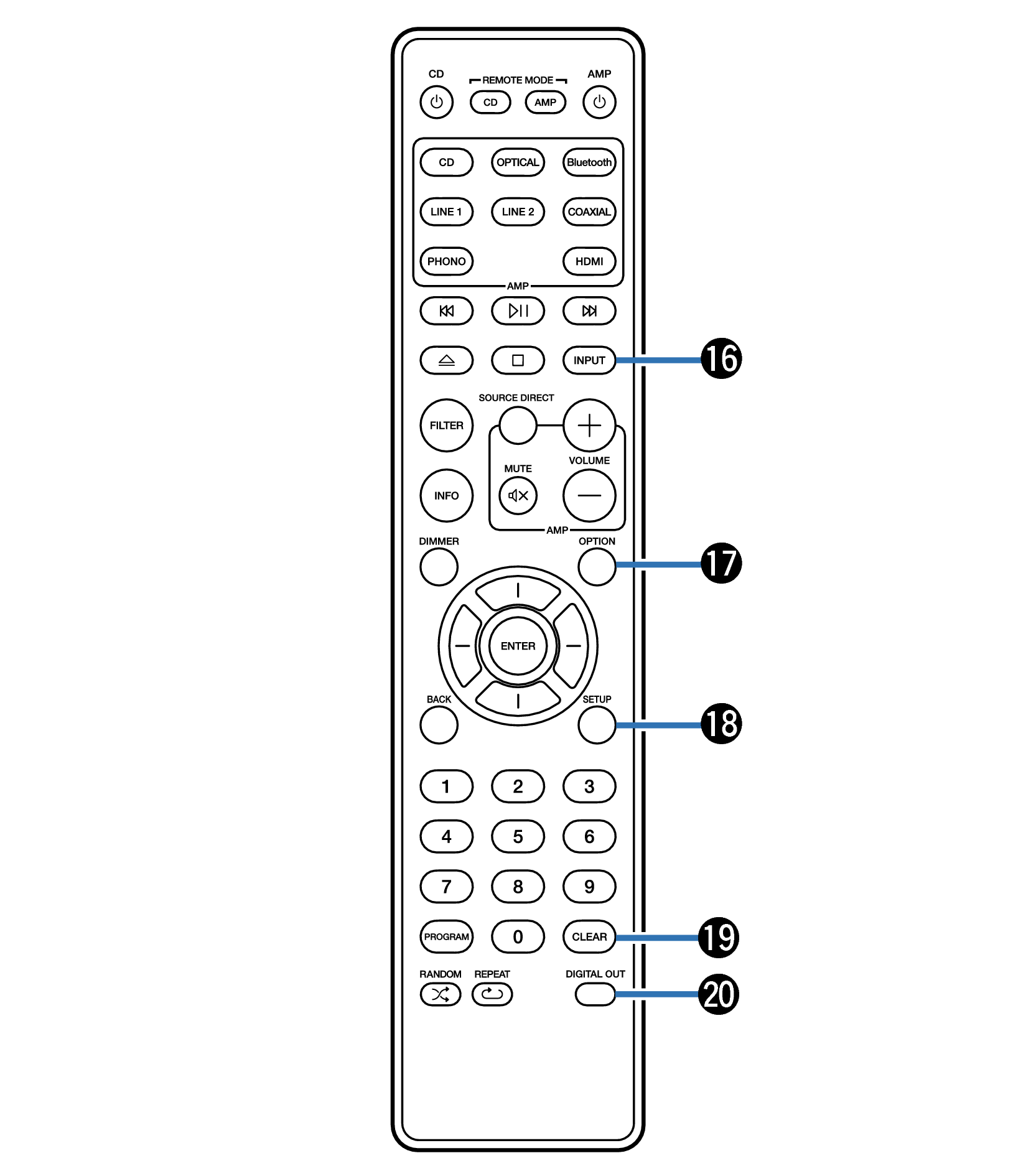
Media mode select button (INPUT)
Used to select the playback source. link
OPTION button
Selects the playback range of the data CD. link
Selects the playback range of the USB flash drive. link
SETUP button
This displays the setting menu on the display. link
CLEAR button
This clears the program registration. link
DIGITAL OUT button
This switches the digital audio output on or off.
Amplifier operations
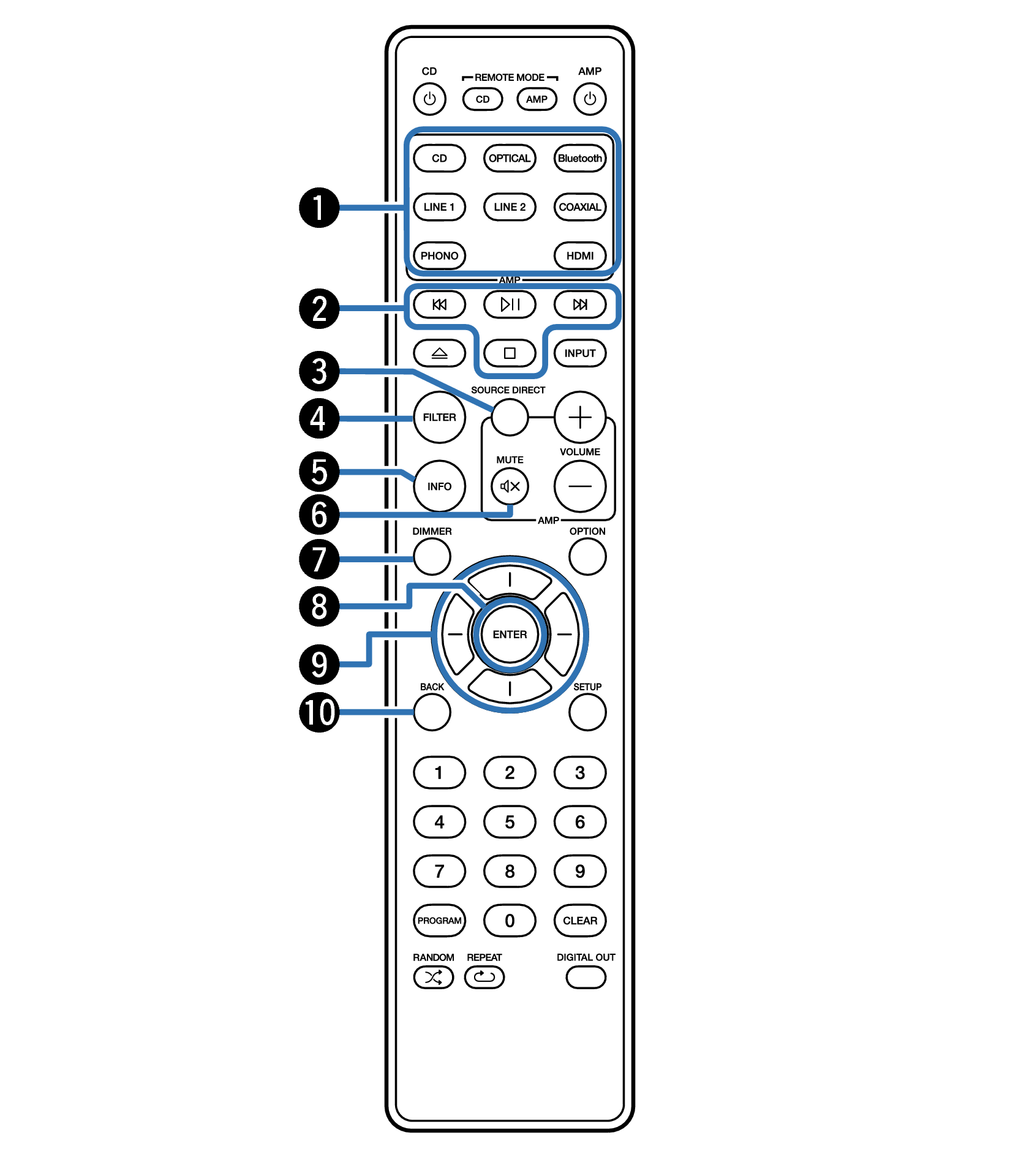
A Marantz amplifier can be operated.
To operate amplifier, press REMOTE MODE AMP button to switch the remote control to the amplifier operation mode.
Input source select buttons
System buttons
SOURCE DIRECT button
FILTER button
Information button (INFO)
MUTE button (  )
)
DIMMER button
ENTER button
Cursor buttons
BACK button
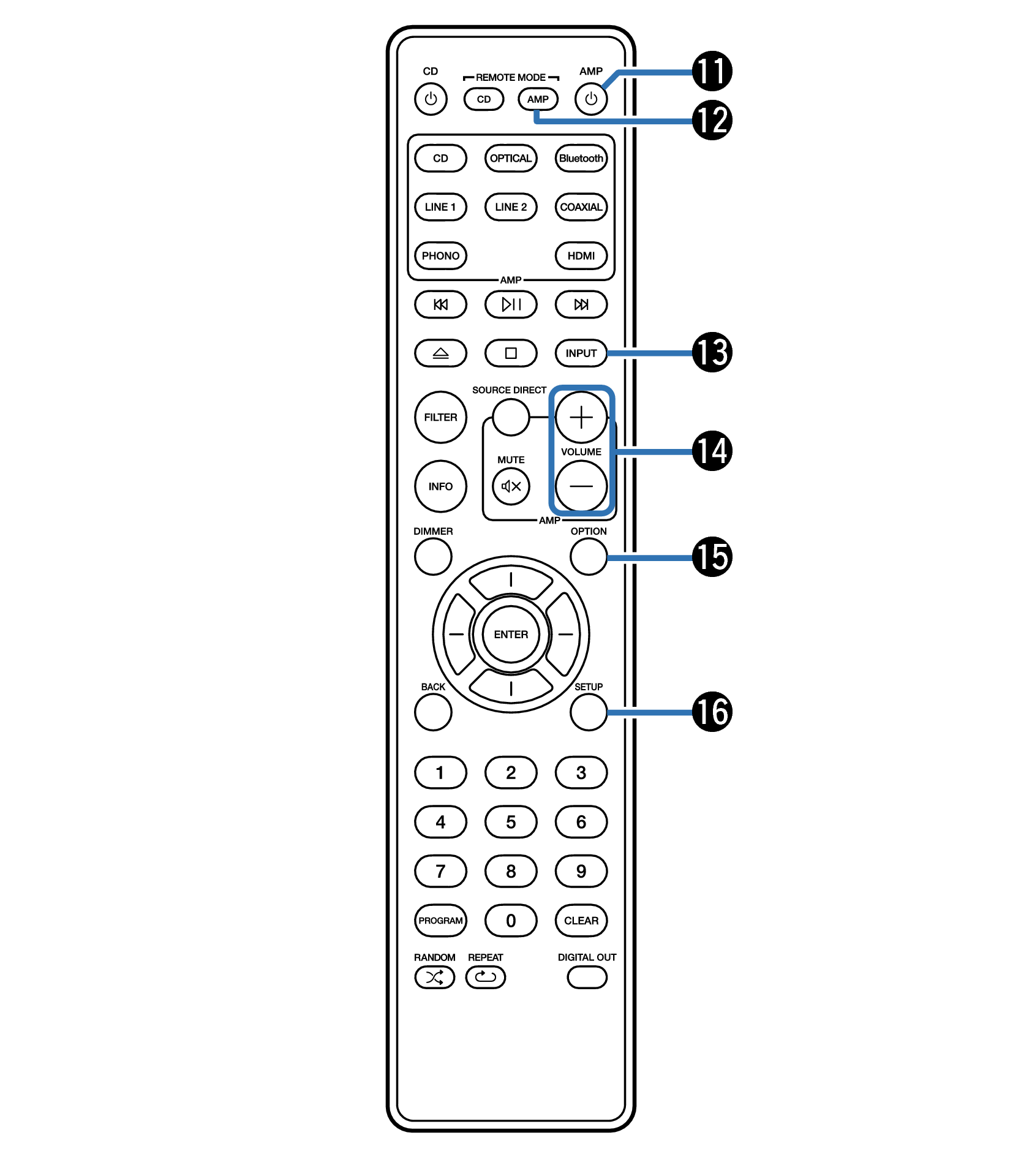
Power (AMP ) button
Remote mode select button (REMOTE MODE AMP)
INPUT button
VOLUME buttons ( 
 )
)
OPTION button
SETUP button
The remote control may not operate some products.