Search result
Speakers
This section explains how to connect them using typical examples.
NOTE
Disconnect this unit’s power plug from the power outlet before connecting the speakers.
Connect so that the speaker cable core wires do not protrude from the speaker terminal. The protection circuit may be activated if the core wires touch the rear panel or if the + and - sides touch each other. (Protection circuitlink)
Never touch the speaker terminals while the power supply is connected. Doing so could result in electric shock.
Use speakers with an impedance of 4 – 16 Ω/ohms.
Connecting the speaker cables
Carefully check the left (L) and right (R) channels and + (red) and – (black) polarities on the speakers being connected to this unit, and be sure to connect the channels and polarities correctly.
Peel off about 5/8 inch (15 mm) of sheathing from the tip of the speaker cable, then either twist the core wire tightly or terminate it.

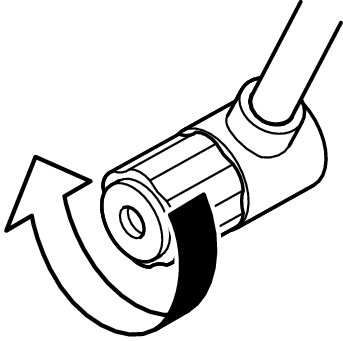
Turn the speaker terminal counterclockwise to loosen it.
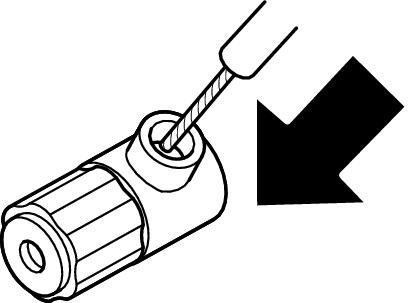
Insert the speaker cable’s core wire to the hilt into the speaker terminal.
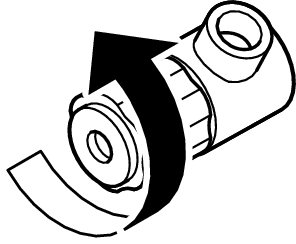
Turn the speaker terminal clockwise to tighten it.